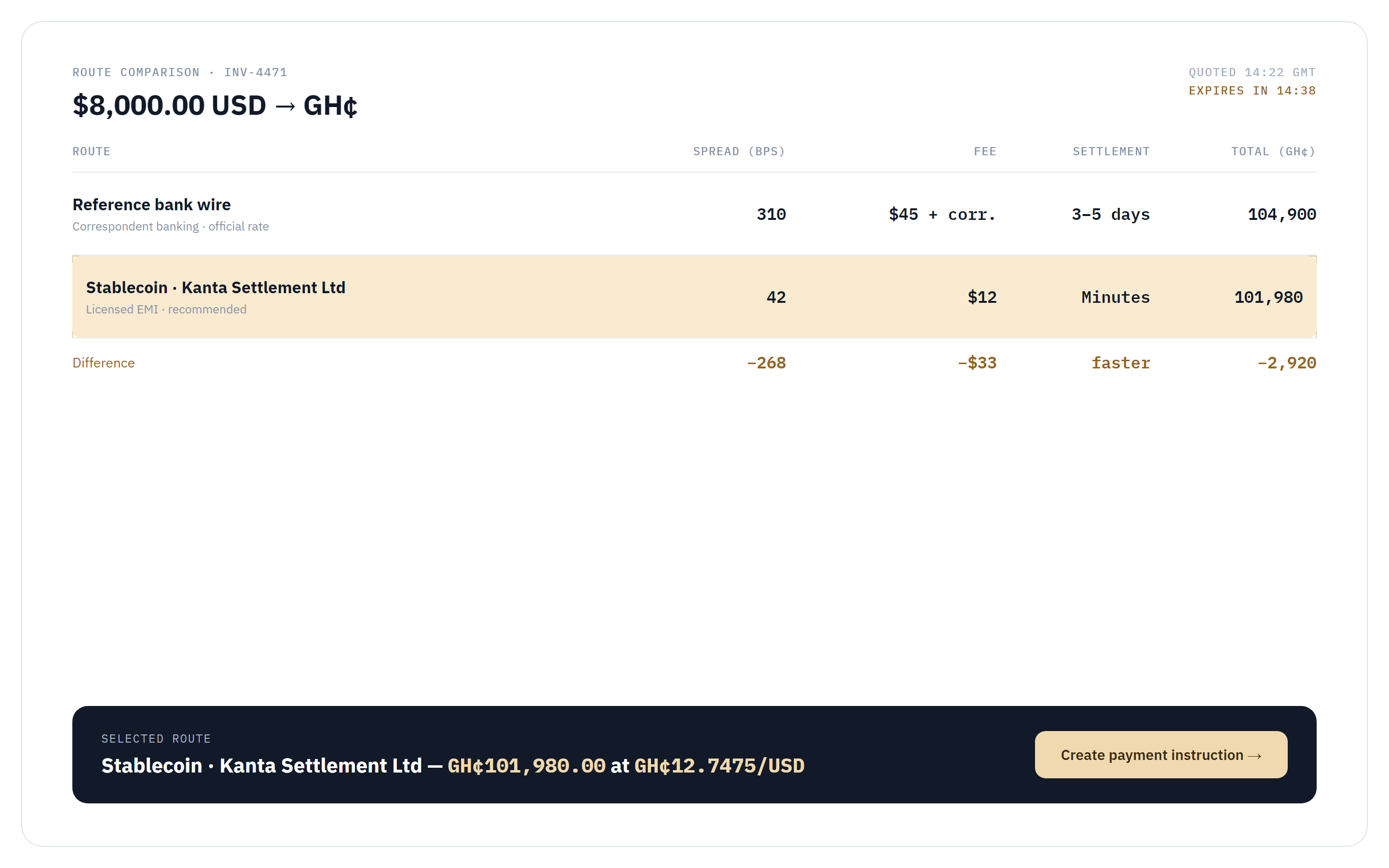
One console to provision a tenant, decide who can do what, and record every action that follows.
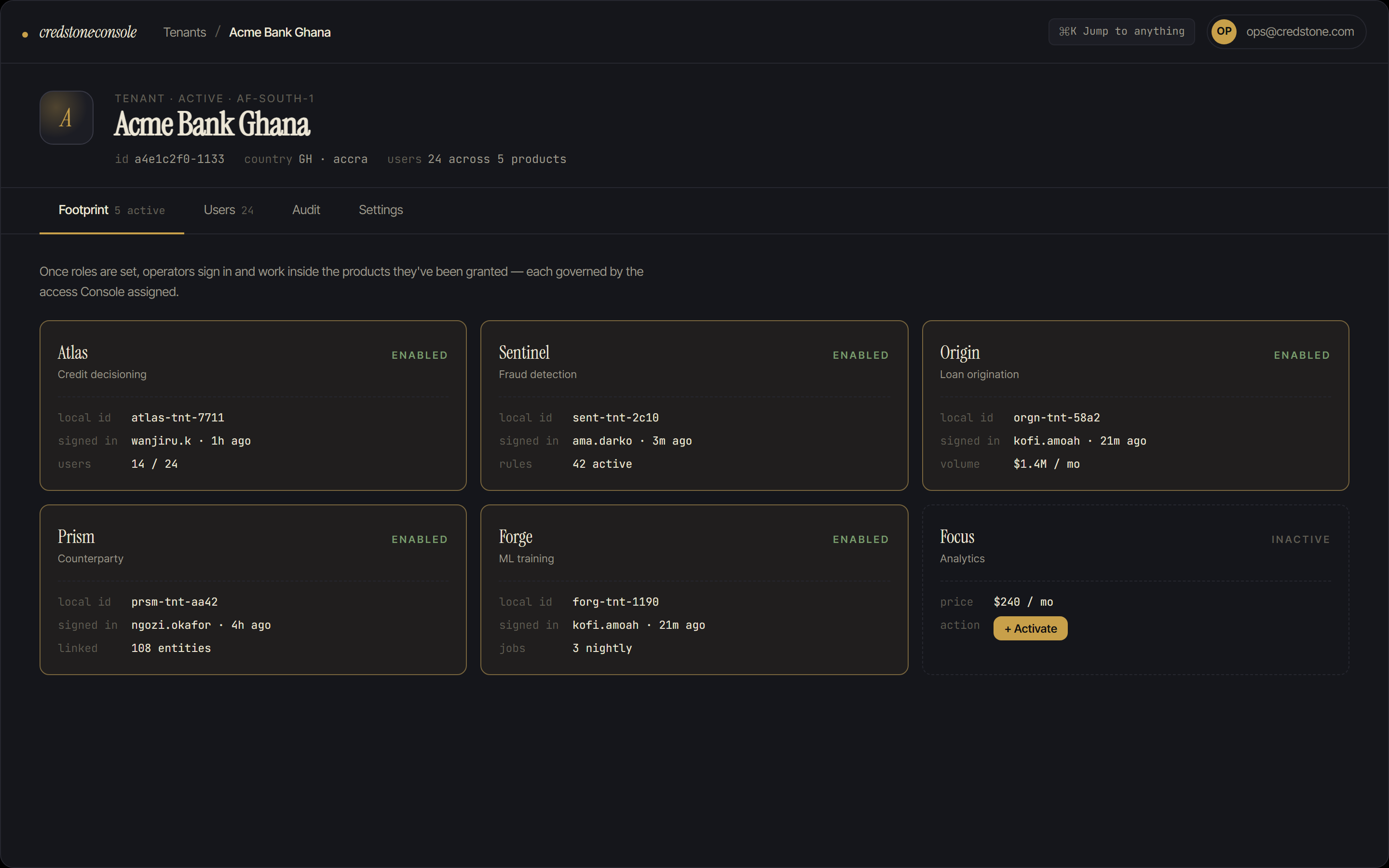
Every tenant a product runs for, every role a person holds, and every action taken against the platform passes through Console first. It provisions tenants, scopes access per product, and writes an append-only record of who changed what.
A platform with eight products can end up with eight separate places to manage access.
Each product could ship its own admin panel, its own way to add a tenant, its own list of who has access. Nothing forces those to agree with each other, and a role granted in one system says nothing about what a person can do in the next.
Without a single audit trail, a change to a tenant, a role, or a credential in one product leaves no record anyone else can find. When something needs explaining later, there is no one place to look.
Console puts tenant setup, per-product roles, and the audit trail behind one interface.
Every product on the platform is provisioned, activated, and role-scoped through Console. Nothing sets itself up, and a tenant can't go live half-configured. Access is granted per product, so a role in Argus carries no permission in Atlas or Origin unless it is granted there too.
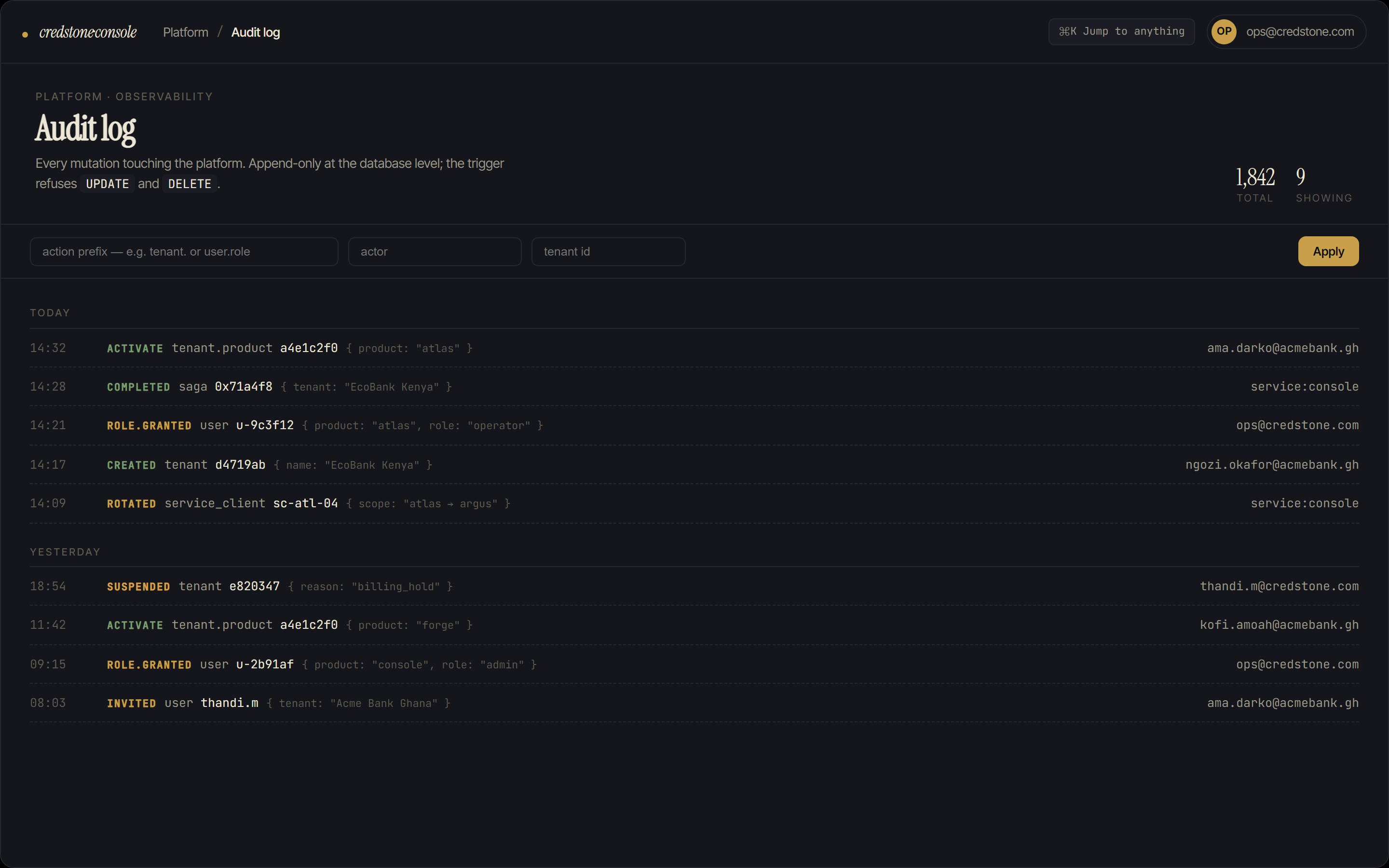
Every change (a tenant created, a product switched on, a role granted, a service credential issued) writes to one append-only log. There is no path that skips it.
An operator is bringing a new institution onto the platform: provisioning the tenant, deciding who gets access to which product, and switching the first products on. Follow it from the first tenant record to the audit trail.
- 01 · Provision
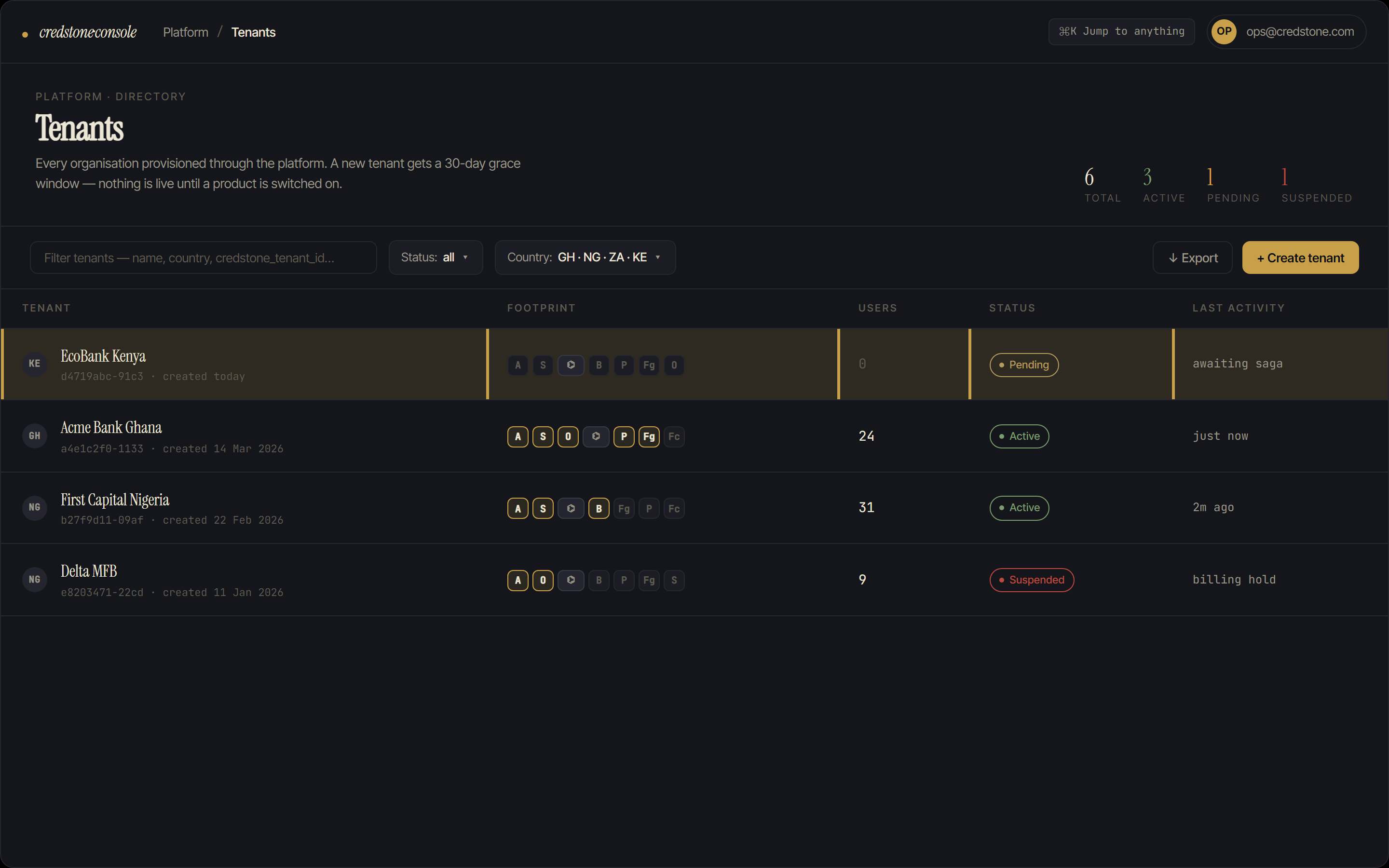
You create the tenant
You set up a new tenant record with a 30-day grace window instead of an instant, irreversible commitment. Nothing about the tenant is live until a product is switched on for it.
- 02 · Access
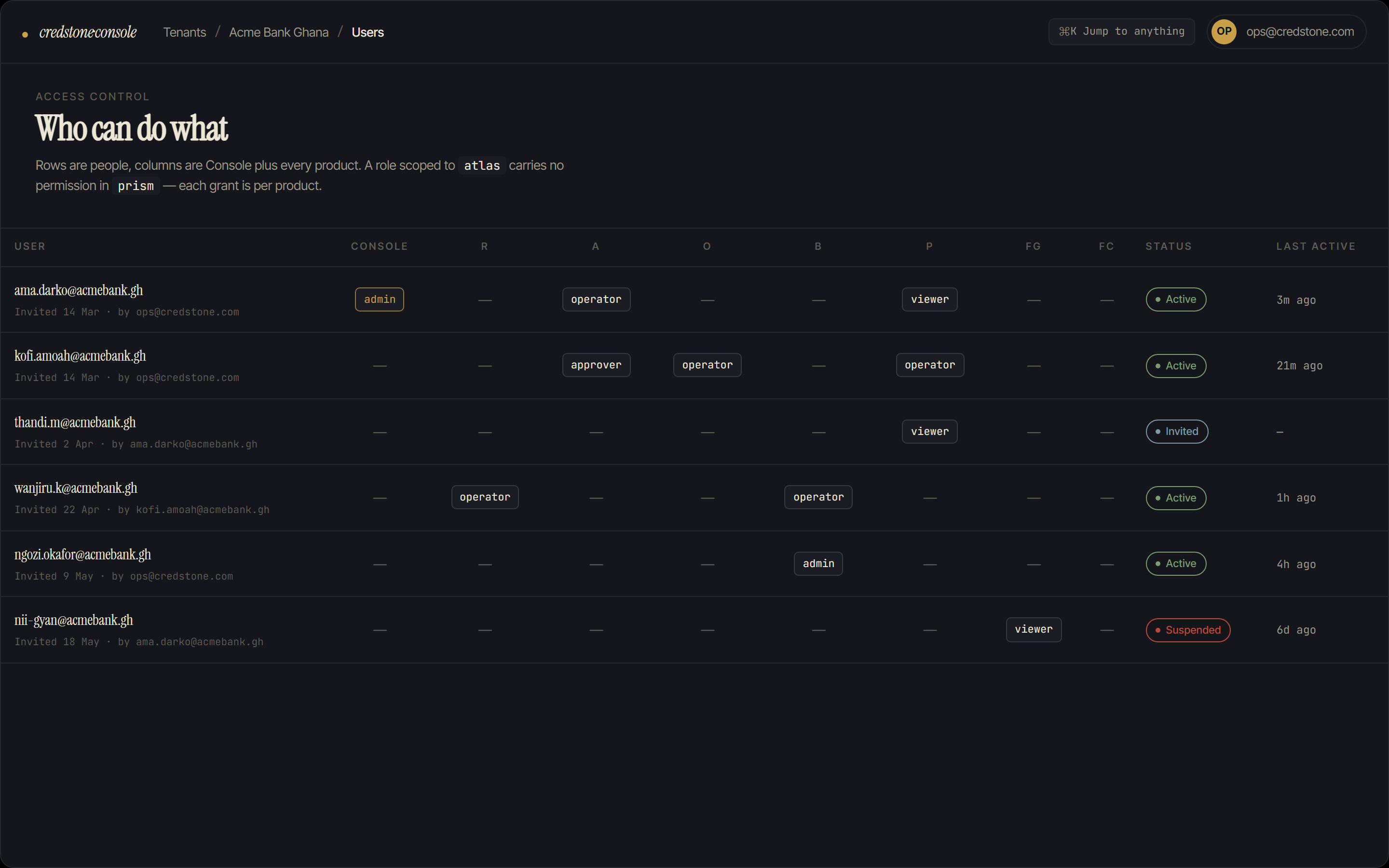
You set who can do what
From one grid you grant roles across every product this tenant will use. A role scoped to Argus carries no access to Atlas or Prism. Each grant is scoped to its own product.
- 03 · Operate
The team runs the products
Once roles are set, operators sign in and work inside the products they have been granted (Argus, Atlas, Prism, Bridge), each governed by the access Console assigned.
- 04 · Record
Every action lands on the audit log
The tenant creation, the roles you granted, and every change since are already written to an append-only log. When someone asks who did what and when, the answer is already there.
Nothing about a tenant, a role, or a credential exists outside what Console recorded: there is one place to check, and it never falls out of date.
When someone asks who set up a tenant or granted a role, Console has the answer already written down.
The tenant's setup, the roles granted to its team, and every credential issued sit in the same append-only log they were written to as they happened. Answering who did what means reading one record instead of reconstructing history across eight admin panels.
How it fits the platform
The platform's token issuer. Console manages the roles that become token permissions.
Provisioning target. Console sets up and manages Argus tenant configuration.
Provisioning target for credit-analytics configuration and roles.
Provisioning target, keyed to the platform tenant identity.
Supplies the single tenant identity that crosses product boundaries.
Console doesn't run the products. It decides who's allowed to.
Console is live in production, governing every tenant and role across the platform. It provisions tenants, scopes access, and logs the change. Running the products themselves is left entirely to them.
Book a technical walkthroughPilotage
Cross-border supplier payments for Ghanaian importers: compare FX routes side by side, run KYB on your business and your suppliers, and settle through a licensed partner, with the rate visible before you commit. Pilotage is pre-pilot.
Explore Pilotage