Cora AI

ENTERPRISE AI AGENTS

AI agents that make complex work easier to manage.

Cora takes on the time-consuming work behind complex operations—gathering evidence, preparing next steps and routing approvals—so your team can act faster and with confidence.

A bank's own staff application open on a control record, with Cora docked at the lower right holding a prepared remediation task that is waiting for approval.
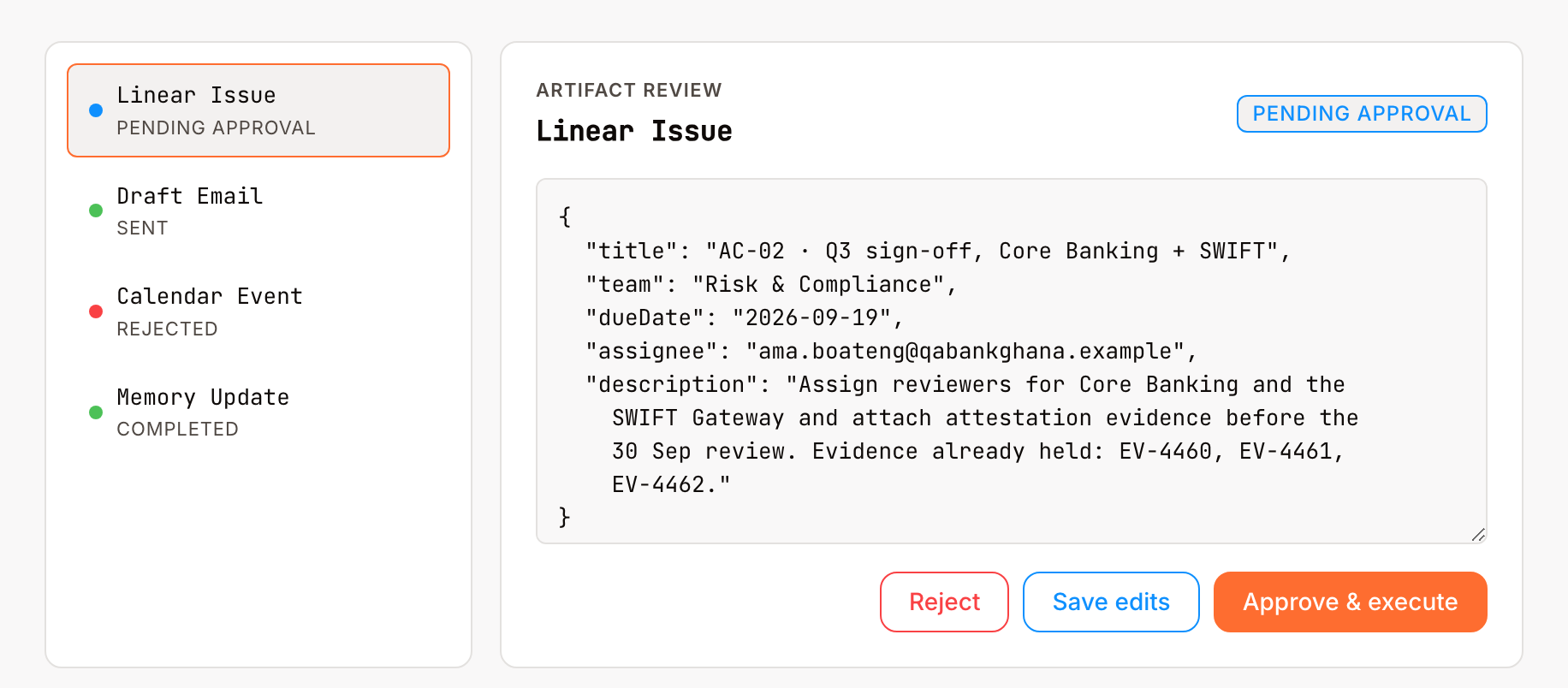
The review card for a single held change: what Cora produced, open for editing, with the choices to reject it, save the edits, or approve it and let it run.

Agents carry the work, and your institution keeps the decision.

Workflows run on a schedule and on the events your systems raise. Each change Cora prepares waits for an answer, and everything that reaches another system is written down.

Every request becomes a job that carries itself through.

Each step is recorded as it happens and numbered in order. Close the browser and open it again, and the work carries on from the last step it showed you. Work also starts on its own, from a schedule your teams set or an event your systems raise.
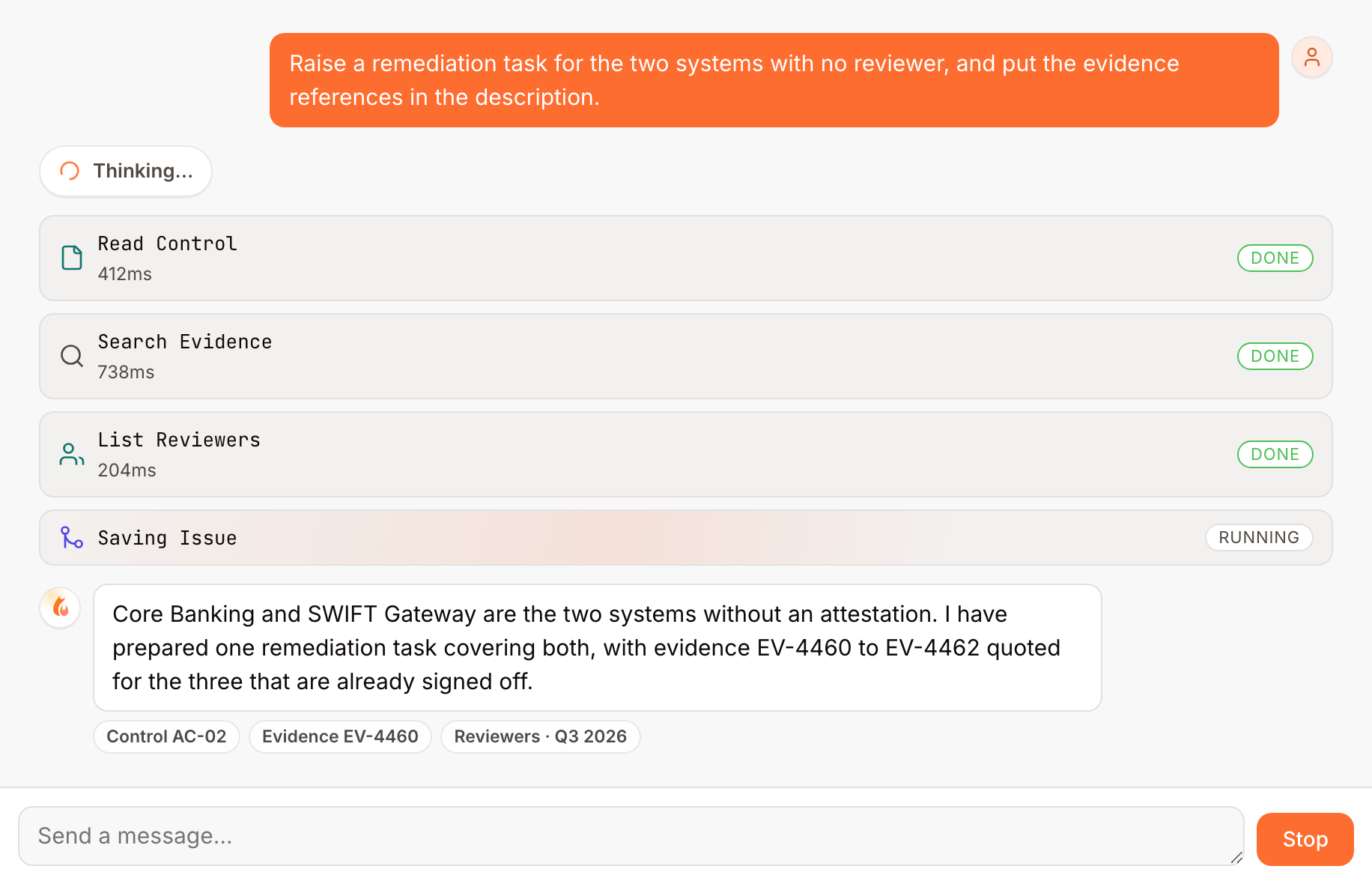
Run
One turn as it runs: the question, four numbered tool steps with the time each took and whether it has finished or is still running, and the answer with the sources behind it.
02 · SESSION

Cora works as the member of staff who is signed in.

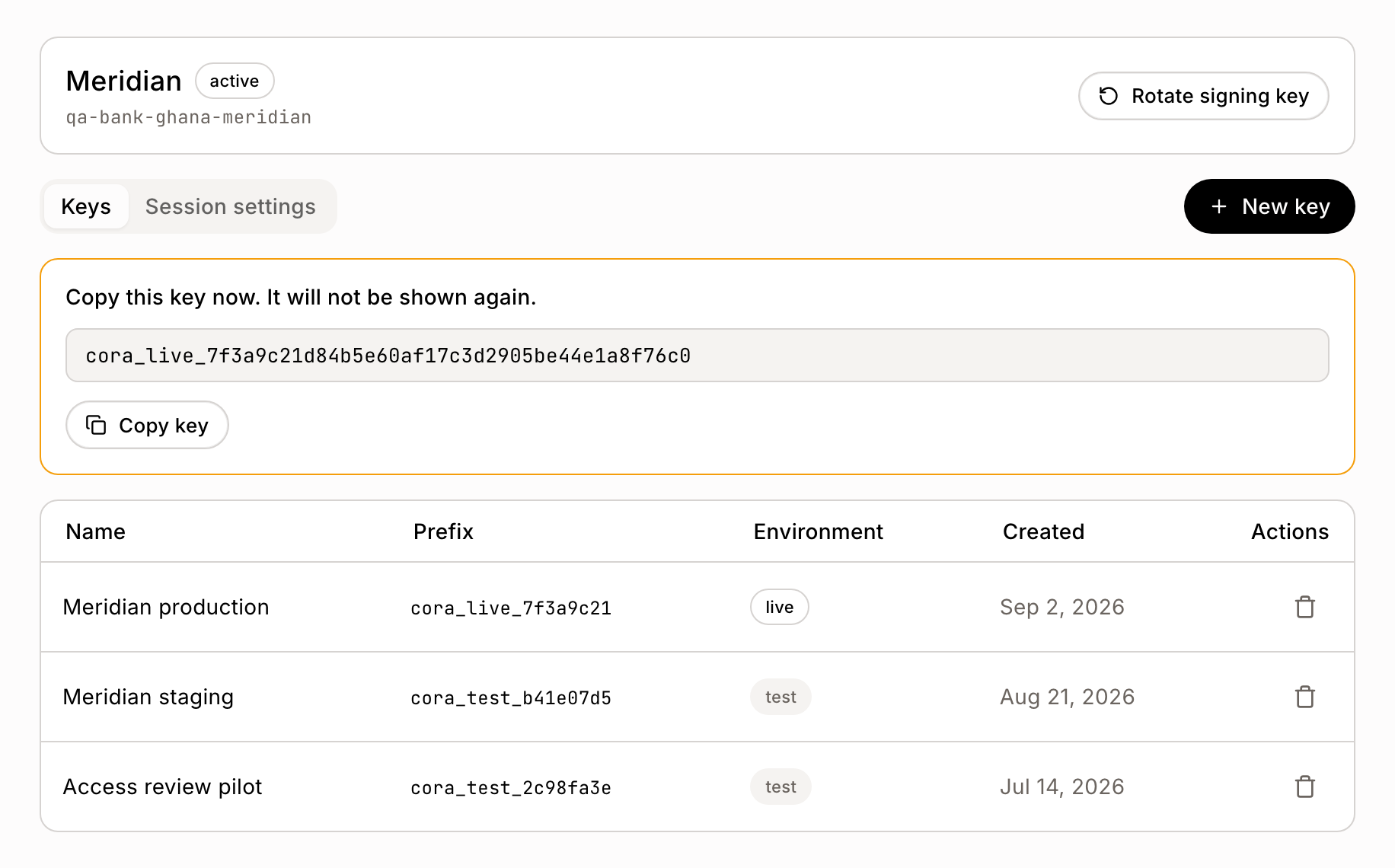
Your application opens the session, exchanging its key server to server, so the browser never holds that key. The session fixes the application, the person and the workspace for everything that follows.

Keys
The application's key screen: a newly issued key shown once behind the warning that it will not be shown again, and the table of issued keys with their live and test prefixes.
03 · TOOL ACCESS

Cora sees only the tools your policy allows.

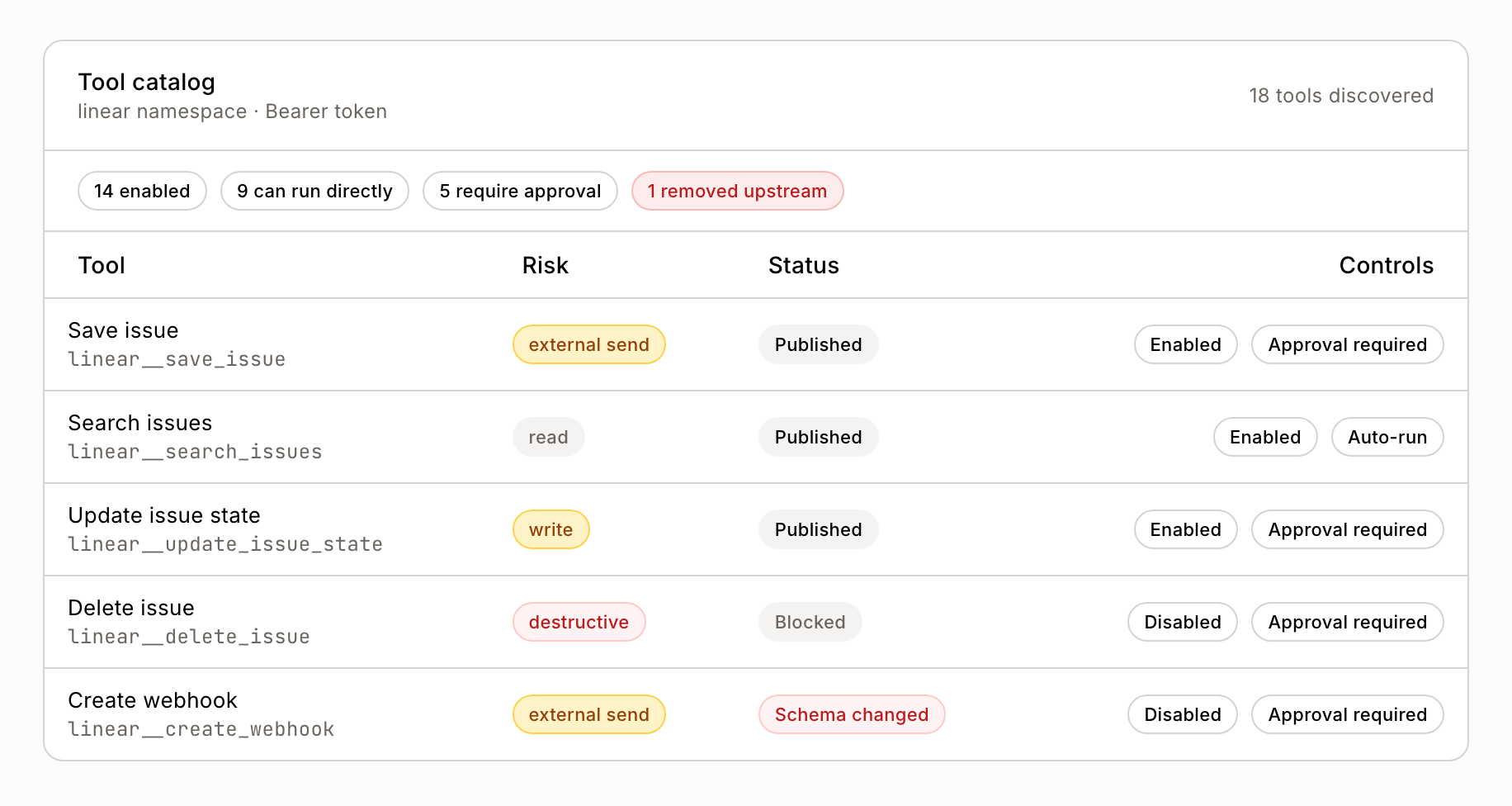
Provider tools are checked against a reviewed policy before Cora sees them. A tool marked blocked leaves the list, and on the shipped default setting a tool whose shape has changed since it was reviewed is held back until it is reviewed again. A workspace admin can switch a single tool off for their own workspace.

Tool catalog
The tool catalogue: each tool with its risk level, whether it is published, blocked or withdrawn after a change to its shape, and whether it runs on its own or waits for approval.
04 · THE REVIEW

A change Cora prepares is held on screen with its details shown.

The person reviewing sees exactly what Cora produced, edits it if they want to, and approves or rejects it. What Cora first wrote is kept beside the approved version, and a rejection is final. Inside a workflow that runs on a schedule, a change goes out under an authority the workflow's owner granted for that exact set of steps, and editing the steps makes that authority stale.

Review
The review canvas: a queue of prepared changes with their outcomes, and the selected one open with its exact contents editable and the three decisions available.
05 · THE LEDGER

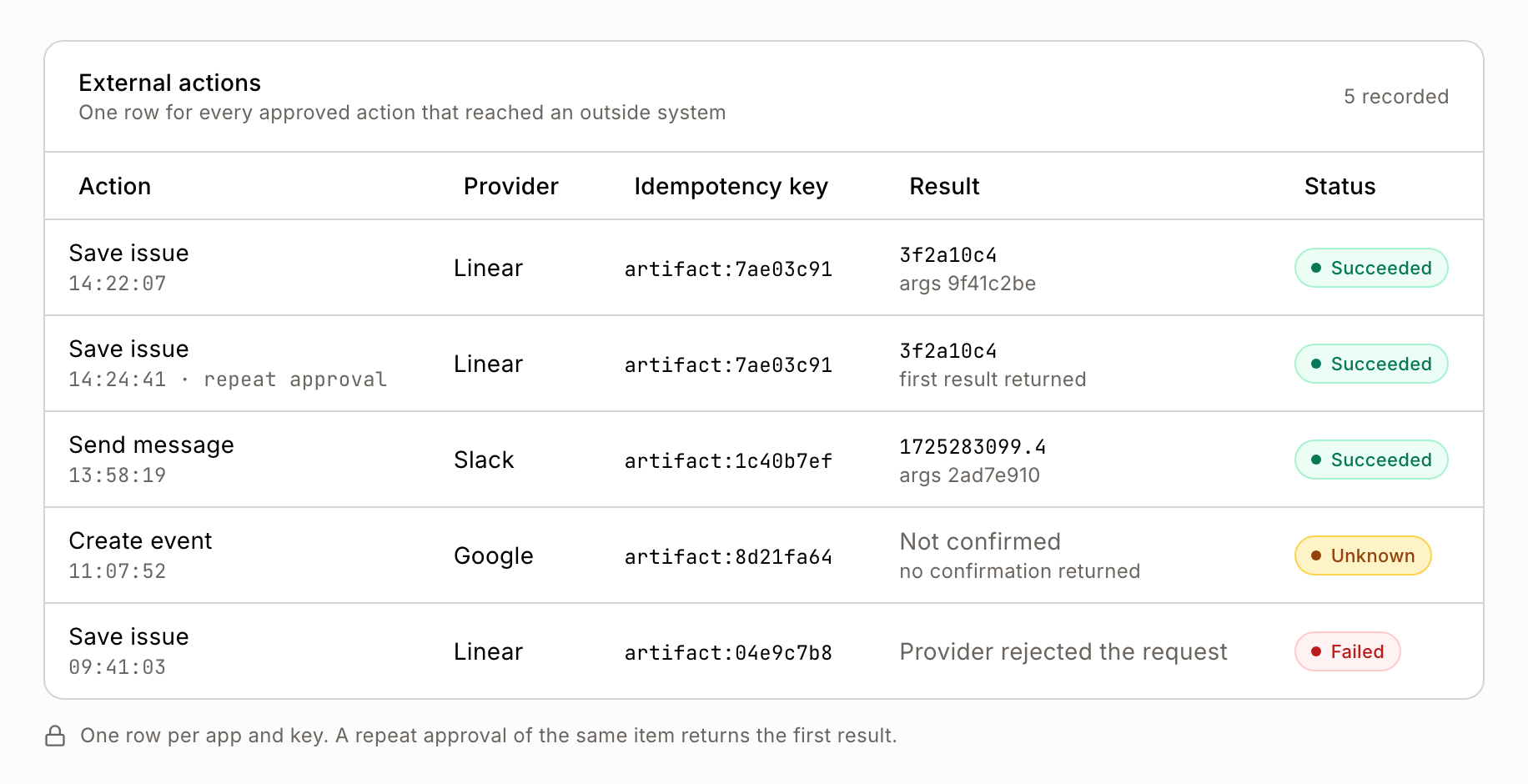
What goes out to another system is written down with its result.

Approval sends the call once. The ledger names the provider, the key it went out under and what came back. Approve the same item again and it hands back the first result. An outcome that cannot be confirmed is recorded as unconfirmed.

External actions
The external-action record: one row for each approved action that reached an outside system, naming the provider, the key it went out under, what came back and the status, including a repeat approval that returned the first result and an outcome recorded as unconfirmed.
Live demonstration

See it run on your own work.

Book a demo and take one request end to end: the workflow that starts it, the change held on screen for an answer, and the record it leaves behind. Bring the compliance officer who will want to see that record.

Book a demo
The Cora AI application shell: the sidebar, the header, the inventory of connected applications and the workspaces being managed.